WiseImage Active Script Studio Doesn’t Execute Code
WiseImage Active Script Studio doesn’t execute any ..JS and .VBS code when you try even the demo script like HPGL.VBS and then hit the ! (execute) symbol. Nothing happens.
The reason of the issue: Windows blocks child processes like cscript on vbs engine.
Solution: Run WiseImage as Administrator and try again.
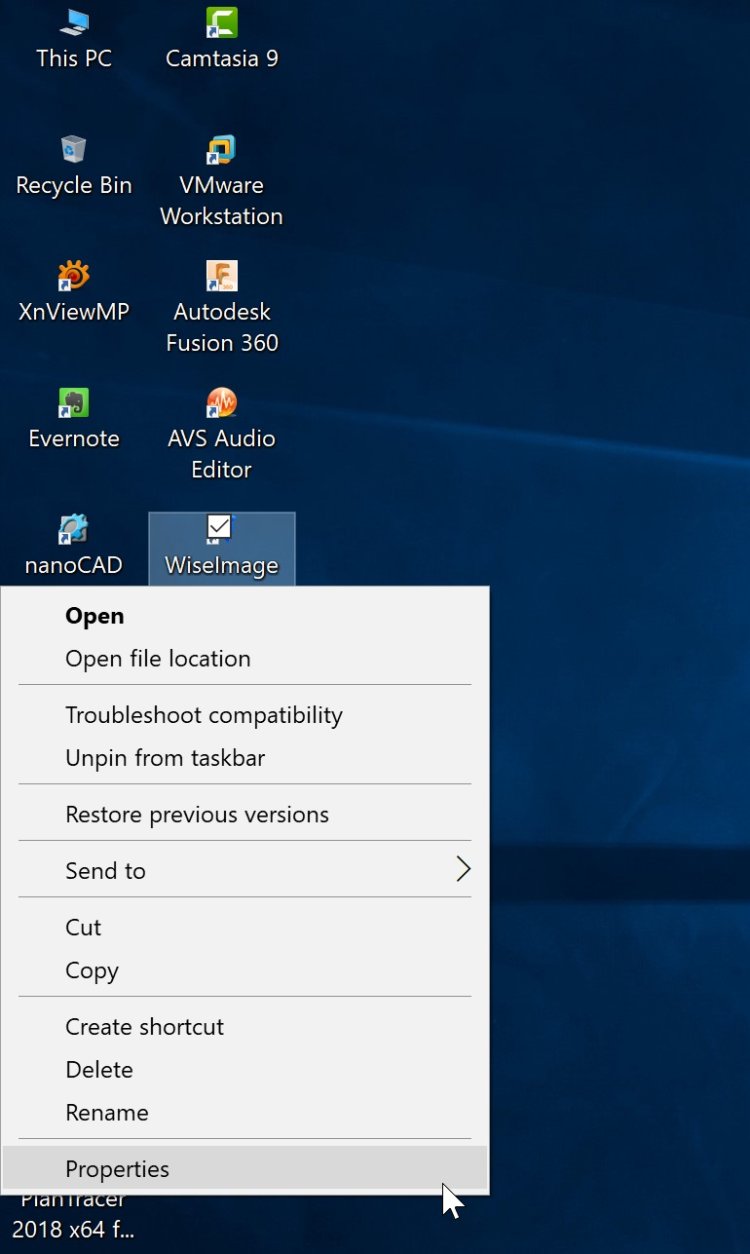
To open WiseImage as Administrator, please right click on the icon of WiseImage and choose “Propertices”.
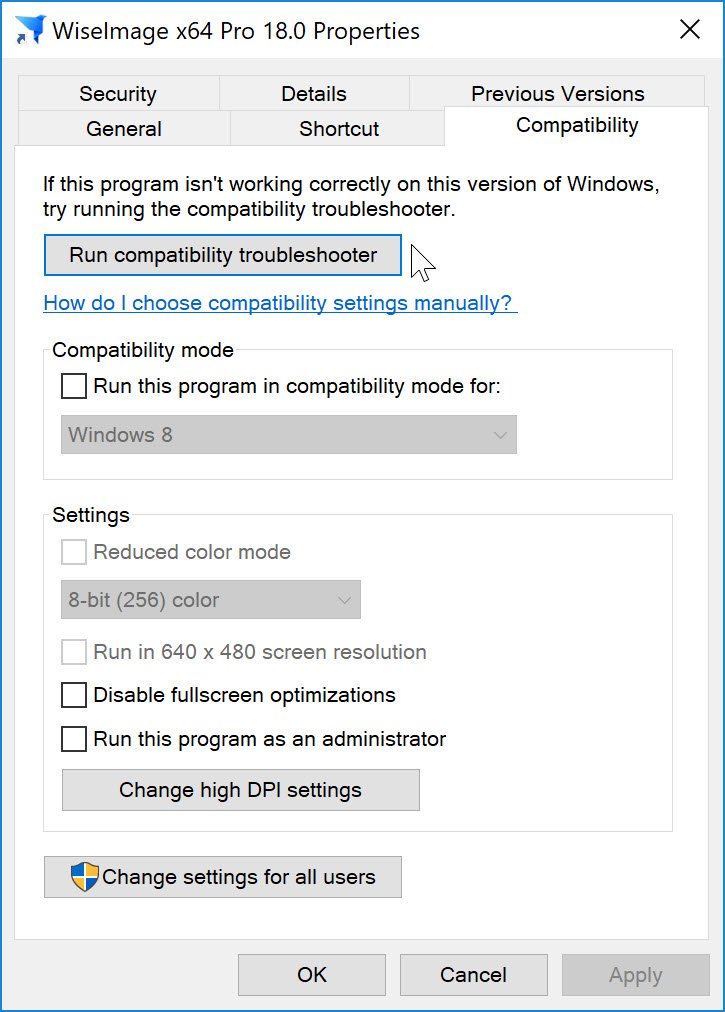
A dialog box will appear. Please put a tick mark on “Run this program as an administrator” and try to run WiseImage. Say “Yes” to “Do you want to allow this app to make changes to your device?”. You are done. Now try to execute .JS or .VBS into WiseImage “Active Script Studio”.
What's Your Reaction?